Link your bank during the beta with an Akahu personal app
One-click bank linking is on its way. Until then, beta members can sync their banks, KiwiSaver and Sharesies today with a free Akahu personal app. Here's how, step by step.
Linking your bank is where Worthberry comes alive. Your balances and transactions arrive by themselves, sorted into categories, and your budgets, goals and net worth start working with real numbers.
Before long you'll link your bank with a few clicks, through Akahu's own sign-in screen. Until that's ready, there's another way to get the full experience in the beta: an Akahu personal app. It's free, and it takes about ten minutes the first time.
What is Akahu? Akahu is an open finance platform for New Zealand. You connect your banks, KiwiSaver provider and Sharesies to Akahu once, and then choose which apps can read them. Worthberry only ever reads your accounts. It can't make payments or move money.
What you'll need
- Your internet banking login, and your phone if your bank sends a code.
- About ten minutes.
- Your Worthberry beta account. Linking is open to everyone in the beta.
1. Connect your accounts to Akahu
- Go to my.akahu.nz and create your Akahu account, or sign in if you have one.
- Connect your bank. Pick it from the list and sign in. Repeat for each bank, plus your KiwiSaver provider and Sharesies if you use them.
Everything you connect here is what Worthberry will be able to read, so leave out anything you'd rather keep separate.
2. Create your personal app and copy two tokens
- While signed in to Akahu, go to my.akahu.nz/developers.
- The first time, Akahu asks you to agree to its Developer Terms and press Continue, confirm your identity, and set up two-step sign-in (multi-factor authentication).
- Your personal app is then created, and the page shows two tokens: an App ID Token (it starts with
app_token_) and a User Access Token (it starts withuser_token_). - Keep this page open. You'll copy both tokens into Worthberry in the next step.
Treat your User Access Token like a password. It lets an app read your connected accounts. Only paste it into Worthberry itself, and don't send it by email or message to anyone, including us. The Worthberry team will never ask you for it.
3. Paste them into Worthberry
- In Worthberry, open Accounts and press Connect. You can also press Add at the top of any page and choose Link banks & KiwiSaver.
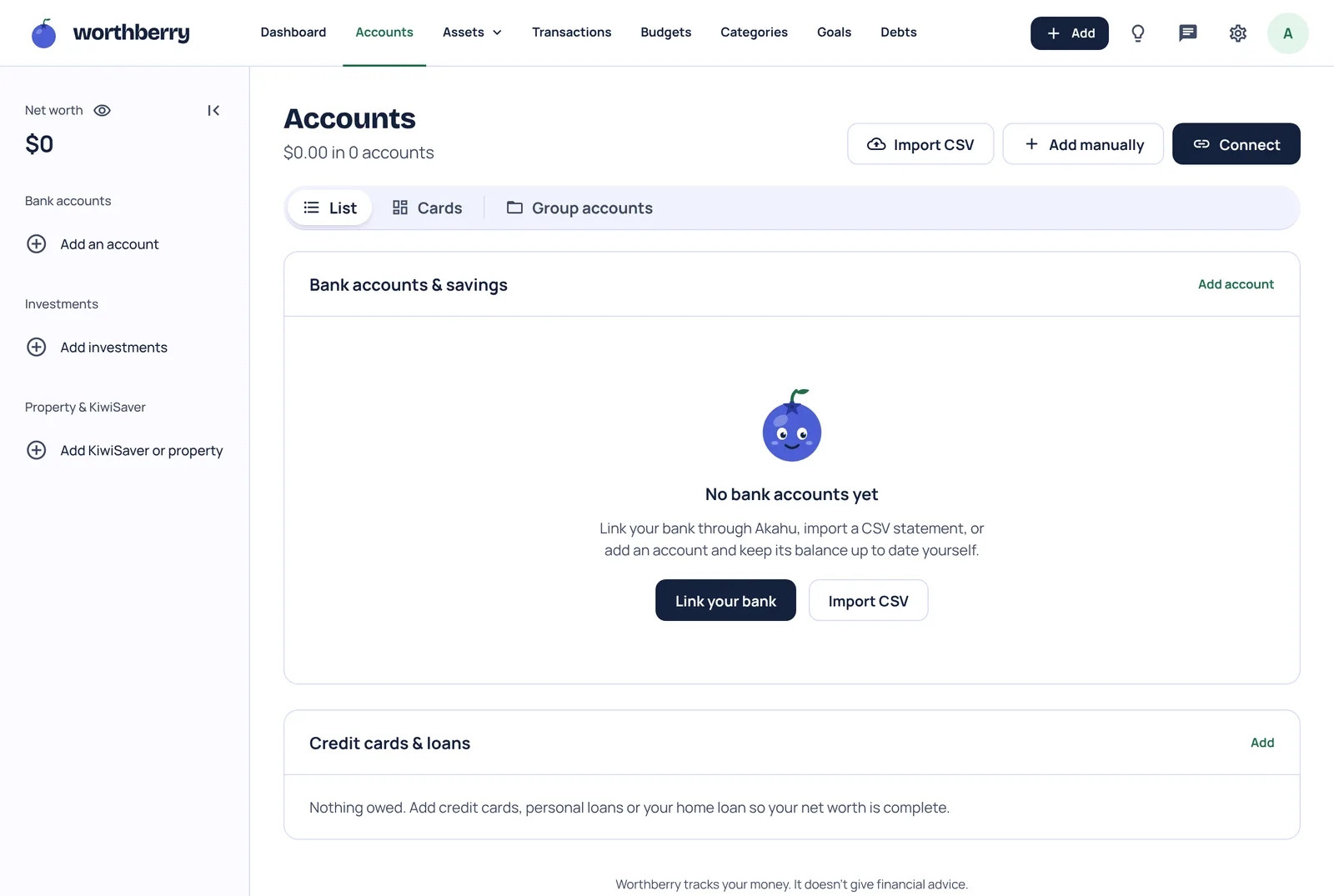
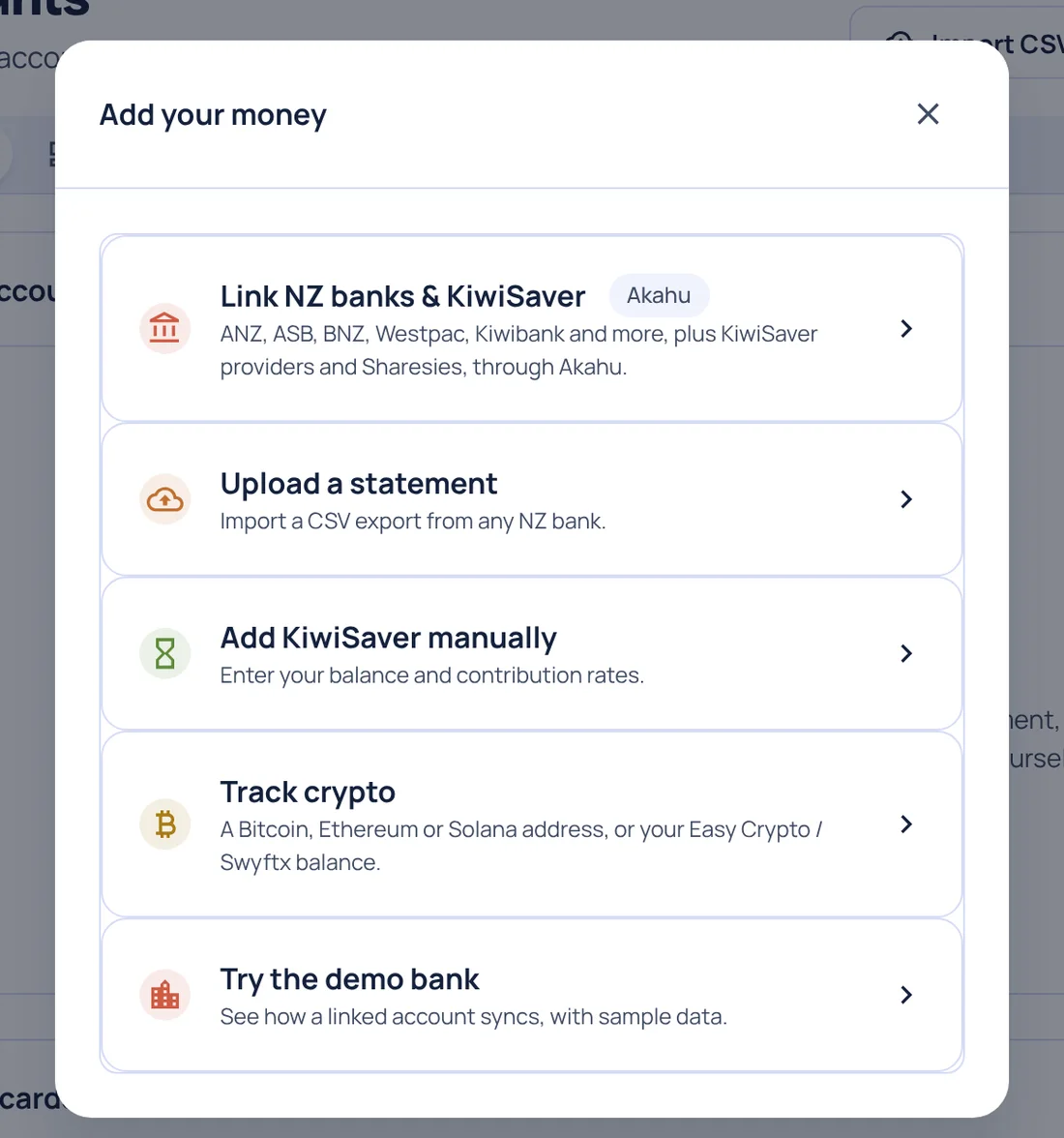
- Choose Link NZ banks & KiwiSaver.
- Paste your App ID Token and User Access Token into the two boxes, then press Link accounts.
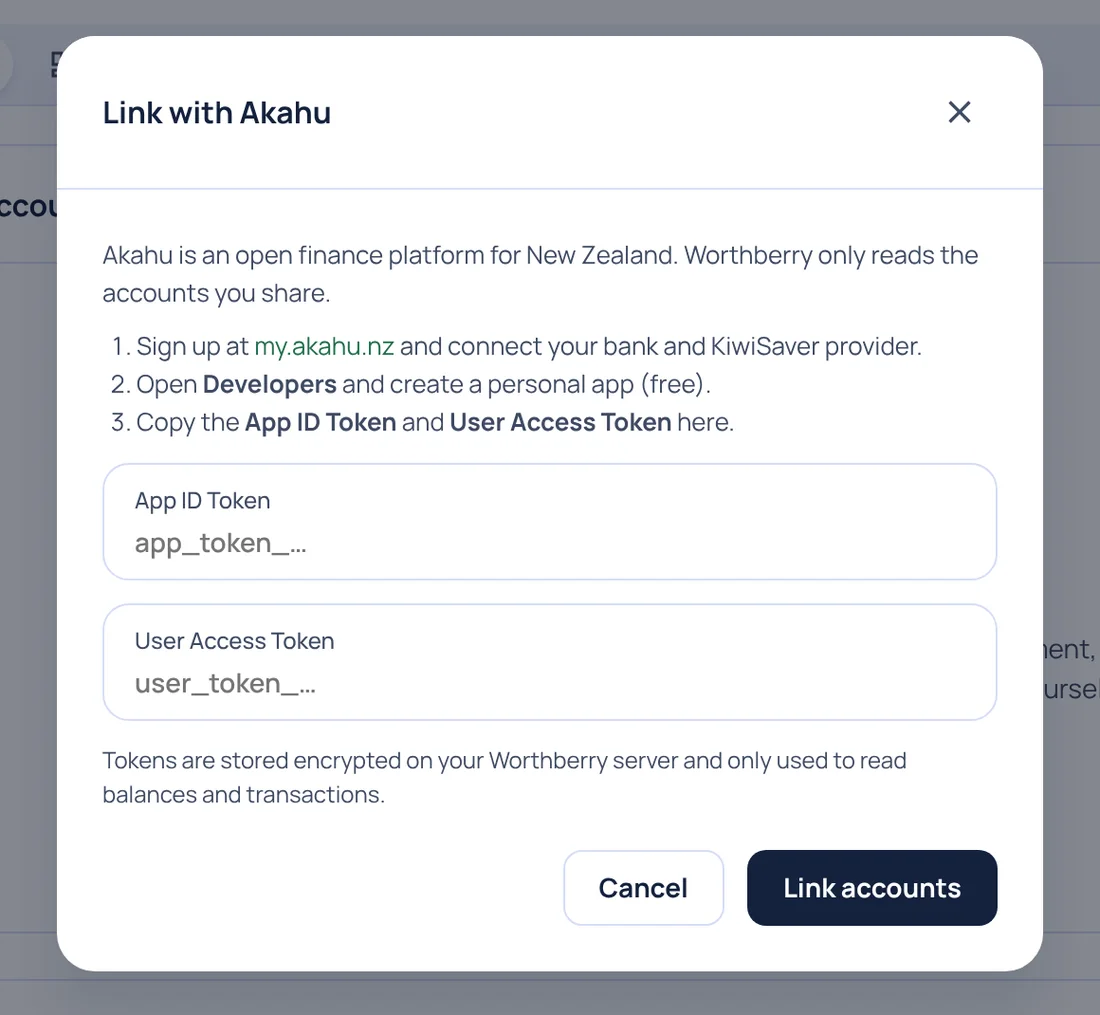
Worthberry brings in your accounts straight away and tells you how many it linked. Your accounts appear in Accounts with an Akahu label, and KiwiSaver under Assets → KiwiSaver.
What to expect
- History: the first sync brings in as much past history as your bank shares, up to two years, so your charts and budgets have something to work with from day one.
- Updates: with a personal app, Akahu refreshes your data from your bank about once a day. New transactions can take up to a day to appear.
- Categories: transactions sort themselves. Change one and keep Remember this ticked, and that merchant lands in the right place from then on.
- Encrypted: your tokens are encrypted before they're stored, and they're only used to read your balances and transactions. Your balances are for you: our team's tools show your email and plan, never your money.
Changing your mind
You're in control the whole time:
- To stop Worthberry reading your accounts, disconnect in Accounts. We delete the tokens straight away.
- You can also remove access from Akahu's side at my.akahu.nz.
- To leave out one bank, disconnect it in Akahu. It stops syncing to Worthberry too.
When one-click linking arrives
We'll email everyone in the beta when you can link through Akahu's own sign-in screen instead, with how to switch over. Until then, the personal app gives you the full Worthberry experience.
Stuck on a step? Use Contact support in the app, or email hello@worthberry.co. Just don't include your tokens.